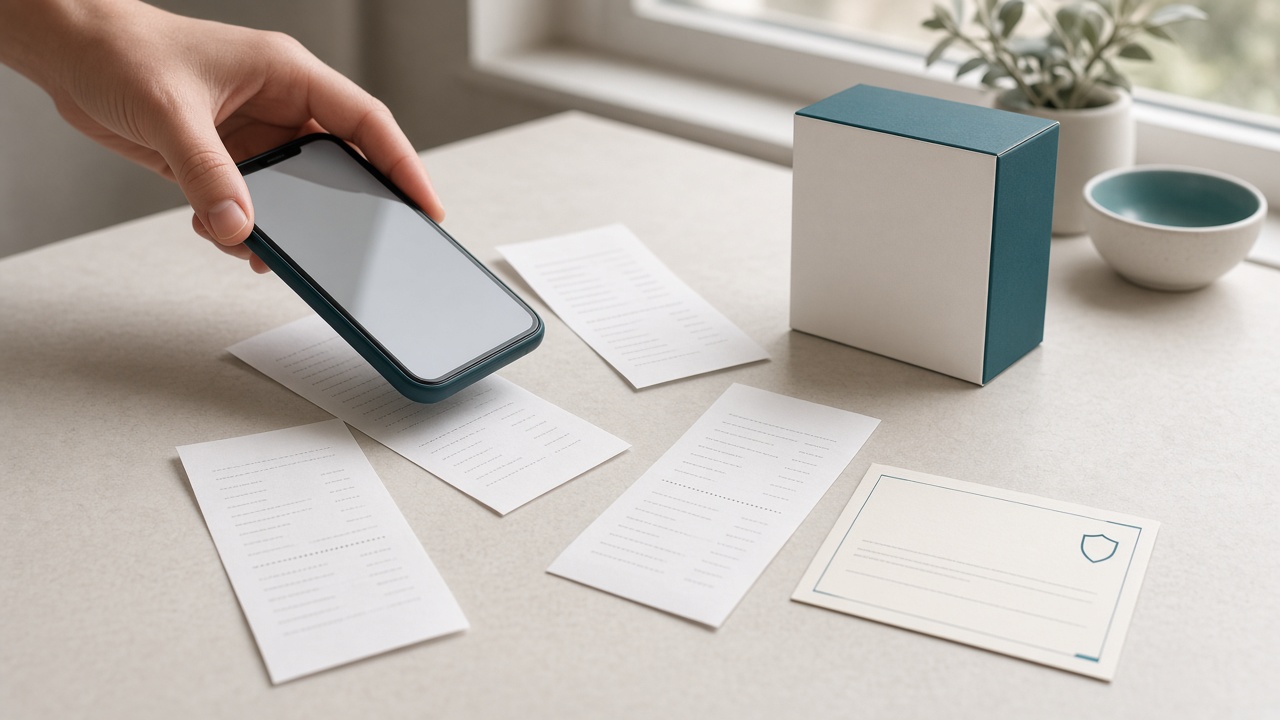
A practical guide to digital receipt storage, warranty document organization, and keeping important dates visible — so you can find proof of purchase when you need it.
That receipt for your laptop may seem unimportant today. But if the device needs a repair, you want to return an item, or an insurer asks for evidence of ownership, proof of purchase can suddenly become essential. The same is true of appliance warranties, vehicle service invoices, furniture receipts, and product manuals.
Purchase records often end up in different places: paper bags, desk drawers, email inboxes, phone photos, and retailer accounts. A digital receipt organizer helps bring those records together, while a reliable document system helps you remember important return and warranty dates.
Why digital receipt and warranty storage matters
Paper receipts can fade, become damaged, or be thrown away accidentally. Digital receipts can also get buried in email or lost among thousands of photos. Organized receipt and warranty storage helps you:
- Find proof of purchase for returns, repairs, exchanges, and warranty claims
- Keep warranty cards, invoices, manuals, and service records together
- Remember return-window deadlines and warranty expiry dates
- Locate records for insurance, household inventory, or eligible business expenses
Whether you call it a receipt vault, digital receipt folder, or purchase-document organizer, the goal is the same: make important records easy to retrieve when a decision or deadline depends on them.
Which receipts and warranty documents should you keep?
Start with purchases that are expensive, covered by a warranty, needed for work, or likely to require service or proof of ownership. Consider keeping:
- Electronics: phones, laptops, tablets, cameras, televisions, and accessories.
- Home appliances: refrigerators, washing machines, ovens, air conditioners, and other major equipment.
- Furniture and household goods: items with a manufacturer guarantee or significant replacement cost.
- Vehicle purchases and repairs: parts, servicing, accessories, and maintenance invoices.
- Tools and equipment: items used at home, for study, or for work.
- Online purchases: order confirmations, digital invoices, delivery records, and return instructions.
- Business expenses: receipts and invoices needed for bookkeeping or tax records.
For valuable purchases, keep the receipt, warranty terms, model and serial number, manual, and repair records together. Follow applicable tax, legal, warranty, and business-record requirements rather than assuming every receipt must be kept forever.
How to organize receipts digitally in five steps
-
Scan or upload a clear copy
Photograph paper receipts in good light or upload the original PDF or image. Include the retailer, purchase date, item description, and total. Check that the text is readable. Thermal-paper receipts can fade, so digitizing them soon after purchase is a useful habit.
-
Give each record a useful name
Use a predictable format such as 2026-09-12-Retailer-Laptop-Receipt. Clear filenames are easier to search than names such as IMG_4837.
-
Keep related documents together
For major purchases, group the receipt, warranty certificate, manual, serial number, and repair invoices under the same product or category. This gives you context if the item needs servicing or a warranty claim.
-
Record return and warranty dates
Check the seller's return policy and the manufacturer's warranty terms. Record the deadline and understand what is covered, when coverage begins, and whether registration is required. A receipt alone does not guarantee that a claim will be approved.
-
Set reminders before the deadline
Do not wait until the last day. As a starting point, set a reminder 30 days before a warranty expires and another 7 days before it expires, adjusting the timing to the product and claim process. For short return windows, set an earlier reminder soon after purchase. Verify dates against the original terms because warranty periods and exclusions vary.
Keep expiry dates and reminders in your document system
Purchase records are not just files to archive. Warranty coverage may end, a return period may close, or a service plan may need renewal. When you store a document in EverDocs, keep its important expiry date or deadline recorded with the document and use the available warranty expiry reminders to help you review it in advance.
EverDocs helps people organize important documents in a digital vault, with document categories, access across devices, and expiry reminders. Manage receipts and warranties alongside other personal records — from insurance policies to home and property papers — instead of leaving everything scattered across email, photo galleries, and paper folders.
Protect sensitive purchase records
Receipts can contain personal information, addresses, loyalty details, partial payment information, order numbers, or information about what you own. Treat them as personal records rather than harmless scraps of paper.
- Use a strong, unique password and enable additional account protection where available.
- Keep access limited to people who genuinely need the documents.
- Avoid sharing an entire receipt archive when only one document is required.
- Before sharing a copy, check whether it reveals payment or personal details that are not needed.
- Keep a separate backup for records that would be difficult to replace.
- Retain original documents when required; a digital copy may not replace an original for every claim or legal purpose.
EverDocs encrypts your files in transit and at rest, and keeps them in private storage tied to your account — so purchase records stay with the same privacy controls as your other important documents.
How EverDocs can help organize receipts and warranties
EverDocs brings important files into one digital document organizer, so purchase records can live alongside the other documents you need to manage. You can build a repeatable system for storing and finding records instead of depending on a paper pile or searching multiple inboxes.
- Centralized document storage: keep receipt images, invoices, warranty documents, and manuals organized in your vault.
- Categories and structure: use clear categories and document names to make records easier to find.
- Expiry-date awareness: record important dates and use available reminder settings to review approaching deadlines.
- Access across devices: retrieve saved records when you need to check purchase details or contact a retailer.
- Secure sharing: share a single receipt or warranty with a time-limited link when a retailer, insurer, or technician needs proof.
- One place for important records: manage purchase documents alongside household, vehicle, insurance, and other personal files.
Review the current EverDocs features, plans and pricing, and security information before deciding whether it meets your needs. Features and notification behavior can depend on your account settings.
A quick monthly receipt and warranty check
- Upload receipts and invoices you may need later.
- Group warranty terms and manuals with important purchases.
- Check purchase dates and expiry dates for accuracy.
- Review upcoming return windows and warranty deadlines.
- Confirm you can open the saved files and that notification preferences are correct.
Building this habit turns receipt management from a last-minute search into a small, manageable routine.
Keep proof of purchase easy to find
Bring receipts, warranties, and other important records together in one organized document vault. Save documents you may need later, record key dates, and use reminders to help you stay ahead of deadlines.
Start free — no card neededFrequently asked questions
What is the best way to store receipts digitally?
Scan or upload a readable copy, use a clear filename, and organize it by product, category, or purchase date. For valuable purchases, keep the receipt with warranty terms, model details, and service records.
How do I organize receipts and warranties together?
Create one record or folder for each significant purchase, then keep the receipt, warranty certificate, manual, serial number, and repair invoices together. Record the warranty end date where you can find it easily.
Can I get reminders before a warranty expires?
EverDocs offers document expiry reminders. Record the correct warranty date, review the reminder options available in your account, and confirm notifications are enabled. Verify the date against the original warranty terms.
How long should I keep purchase receipts?
Keep receipts for as long as they may be needed for returns, warranty claims, insurance, resale, accounting, or tax purposes. Retention requirements vary by country and record type, so check the relevant rules for your situation.
Is a photo of a receipt enough for a warranty claim?
It may be accepted, but requirements vary by retailer, manufacturer, product, and jurisdiction. Keep the original when practical and check the warranty terms before you need to make a claim.
Should I delete a receipt after the warranty expires?
Not automatically. It may still be useful for insurance, resale, repair history, business accounting, or tax records. Decide based on the purchase and any applicable retention requirements.
Related guides
This article provides general document-organization information, not legal, tax, warranty, or consumer-rights advice. Requirements vary by retailer, manufacturer, and country.